
Learning how to calculate click through rate helps you see whether your headlines, ads, and emails actually earn attention or just get seen and ignored. It is one of the simplest marketing metrics, yet many people misread it because they mix up impressions, clicks, and unique users. You will learn the exact formula, where to pull clean data, and how to apply it across Google Ads, SEO, email, and social media.
I will walk you through manual math, real examples, channel differences, benchmarks, and common errors that inflate results. You will also see how to track trends over time and what to do when your rate looks low. By the end, you will be able to measure any campaign with confidence and make smarter choices about copy, targeting, and placement.
Click Through Rate Formula Explained
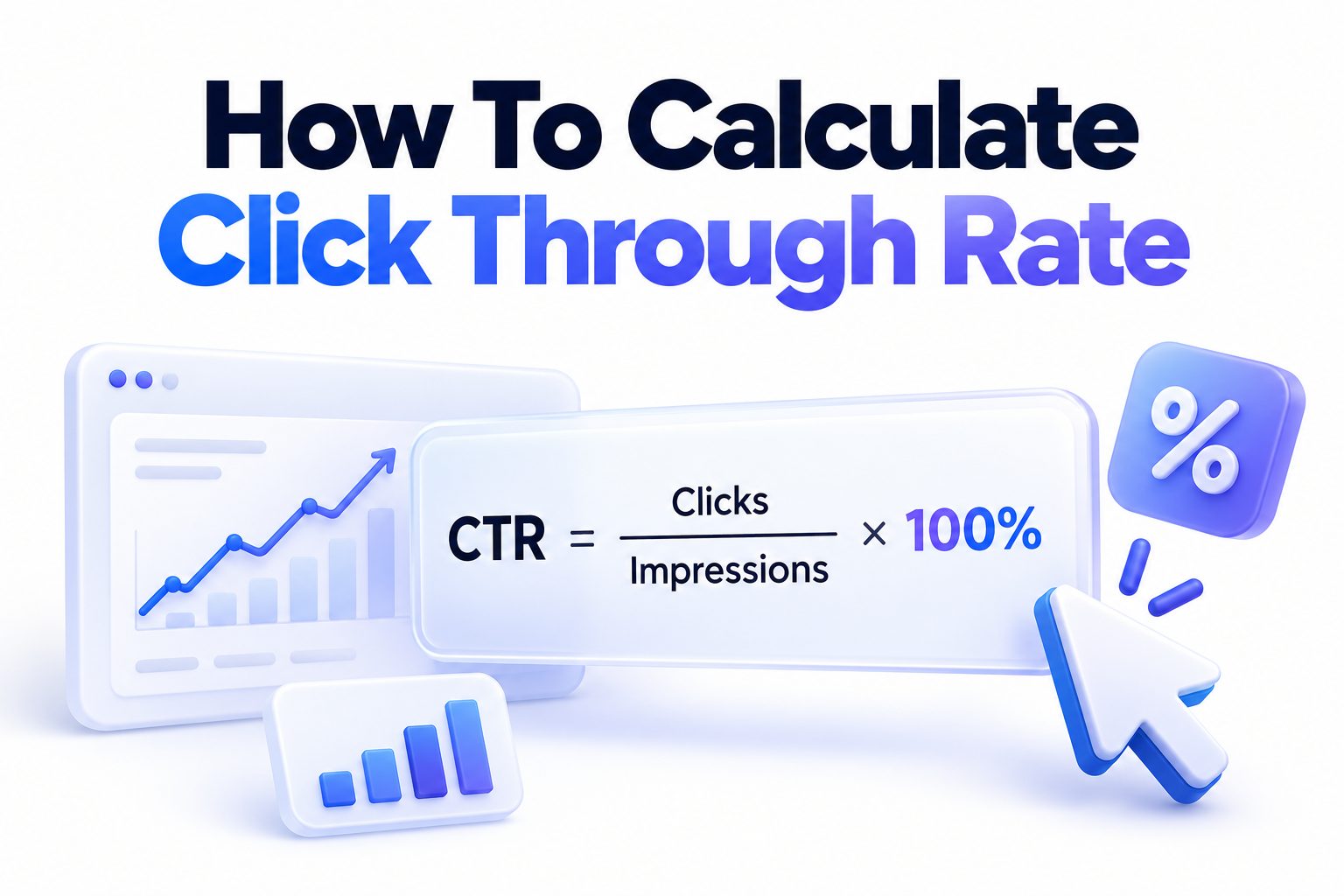
The core formula stays the same no matter where you advertise. Divide total clicks by total impressions, then multiply by 100 to get a percentage. If a Google ad receives 250 clicks from 10,000 views, the math is 250 divided by 10,000 times 100, which equals 2.5 percent.
This percentage tells you how compelling your offer looked at first glance. It does not measure sales, leads, or time on page. It only answers one thing, out of everyone who saw this, how many felt motivated enough to click.
Breaking Down Impressions and Clicks
Impressions count every time your link or ad loads on a screen. A single person can generate multiple impressions if they see your ad three times in a day. Clicks count every tap or click on that element, including repeat clicks from the same person unless the platform filters them.
Clean measurement depends on using the same definitions as the platform. Google Search Console counts an impression when your URL appears in results, even without scrolling. Email tools often count an open and a click separately, which changes the base number you should use.
CTR Calculation Example in Practice
Imagine a blog post ranks in Google and earns 8,400 impressions and 336 clicks in a month. Divide 336 by 8,400 to get 0.04, then multiply by 100 for a 4 percent rate. That quick check tells you the title and meta description perform above average for informational content.
Try another example with paid social. An Instagram ad gets 45,000 impressions and 675 link clicks. Divide 675 by 45,000 to get 0.015, or 1.5 percent. Keeping a calculator or spreadsheet nearby makes this repeatable for weekly reporting.
Gathering Accurate Click and Impression Data
Reliable results start with reliable inputs. Pull impressions and clicks from the same date range and the same source view. Mixing Google Ads clicks with Analytics sessions will distort your rate because each tool defines sessions, clicks, and bots differently.
Check your attribution window before exporting. For search, use Search Console performance reports filtered by page or query. For email, use delivered emails as impressions and unique clicks for engagement. Document your source so future comparisons stay consistent.
Choosing the Right Reporting Window
Short windows show noise, long windows hide problems. A seven day window works for high volume ads, while SEO pages often need 28 days to smooth out weekday swings and algorithm shifts. Avoid comparing a holiday spike to a quiet week without noting context.
Always align time zones and campaign changes. If you edited headlines mid-week, split the report into before and after periods. That way you can tell whether a lift came from creative changes or just extra weekend traffic.
Quick Tips for Cleaner CTR Inputs
Use these habits to keep your numbers trustworthy across
- Match date ranges exactly for clicks and impressions before dividing
- Use unique clicks for email and total clicks for paid search when comparing norms
- Exclude internal traffic and preview impressions in ad platforms
- Separate brand and non-brand queries in search reports
- Note bot filtering settings in each platform you export from
- Save the filtered view so next month uses identical rules
These small steps prevent most inflated or deflated rates. When data collection stays consistent, week to week changes actually mean something instead of reflecting a new filter or a changed report.
Manual Calculation Process Step by Step
Manual math is useful when you audit reports or combine data from two tools. Start by writing down total clicks and total impressions for one asset, one audience, and one time frame. Double check that both numbers cover the exact same URLs or ad IDs.
Divide clicks by impressions using a calculator or spreadsheet. Multiply the decimal by 100 and round to one or two decimal places. Label the result clearly with channel, date range, and version so no one mistakes a landing page rate for an account average.
Setting Up a Simple Spreadsheet
Create columns for asset name, impressions, clicks, CTR, date range, and notes. In the CTR column, enter formula equals clicks divided by impressions times 100. Format the cell as percentage with two decimals for easy scanning.
Add conditional formatting to flag drops larger than 0.5 points week over week. Include a notes column for context like title change, budget increase, or position drop. This log becomes valuable when you review quarterly performance and need to explain shifts.
Verifying Results Without Double Counting
Duplicate URLs often split clicks in Search Console. Combine http and https versions, with and without trailing slash, before calculating page level CTR. In email platforms, decide upfront whether to use total clicks or unique clicks and stick with it.
Watch for accidental impression inflation. Display auto refresh, preview tools, and your own testing can add views without real interest. [Internal Link: PPC Reporting Best Practices] Filter office IPs where possible and exclude test sends from email click totals.
Channel Specific CTR Calculation Methods
While the math stays the same, what counts as a click changes by channel. Google Ads reports clicks versus impressions per ad and keyword. SEO reports use Search Console clicks and impressions per query and page. Email uses clicks divided by delivered or opened emails depending on the goal.
Social platforms add more nuance. Facebook shows link clicks and all clicks separately, and all clicks includes likes and profile taps. Use link clicks for website traffic CTR. For YouTube, use card and end screen CTRs separately from browse CTR to avoid mixing behaviors.
Practical Examples by Platform
Real numbers make differences clear. Here is how the same formula applies across common channels:
- SEO blog post: 420 clicks / 12,000 impressions x 100 = 3.5 percent
- Google Search ad: 180 clicks / 4,500 impressions x 100 = 4.0 percent
- Marketing email: 950 unique clicks / 22,000 delivered x 100 = 4.32 percent
- Facebook link ad: 1,120 link clicks / 85,000 impressions x 100 = 1.32 percent
- YouTube end screen: 310 clicks / 18,000 impressions x 100 = 1.72 percent
Keep channel rates separate in reports. A 1.3 percent social rate can be strong while a 1.3 percent branded search rate would signal a serious issue with ad copy or extensions.
Adjusting for Unique Versus Total Counts
Many beginners compare total clicks in one tool to unique clicks in another. Decide which view answers your question. Use total clicks to judge volume and spend efficiency. Use unique clicks or unique CTR to judge message appeal without repeat clickers skewing results.
In email, click to open rate is often more useful than standard CTR. It divides unique clicks by opens, showing appeal among people who actually saw the subject line work. Track both, but label them clearly to avoid team confusion.
Benchmarks for a Healthy Click Through Rate
Averages vary widely by intent and placement. Branded search ads often see 6 to 9 percent because the searcher already wants you. Non-brand search averages 2 to 4 percent. Organic results on page one average 3 to 6 percent for position one to three, dropping fast after position five.
Email click rates typically range from 2 to 5 percent of delivered, while display and prospecting social often sit between 0.5 and 1.5 percent. Treat benchmarks as starting points, not grades. Your niche, offer strength, and audience warmth matter more than a universal target.
Reading Benchmarks in Context
Position heavily shapes expectations. An organic listing in position eight with 2 percent CTR may actually be overperforming, while the same rate in position one would be weak. Check average position alongside CTR in Search Console before judging copy.
Intent matters just as much. Informational queries earn fewer clicks because answers appear directly in snippets. Transactional queries earn more because searchers want to compare options. Segment reports by intent to set fair goals for each content type.
Key Elements That Affect CTR Accuracy
Several factors change what your rate really means. Ad rank, image choice, audience targeting, and device mix all push numbers up or down without reflecting copy quality. Mobile users click differently than desktop users, especially on local and navigational queries.
SERP features also steal or boost clicks. Featured snippets, maps, shopping carousels, and video thumbnails reshape attention. A drop from 5 percent to 3.5 percent might follow a new map pack, not worse titles. Note layout changes when you analyze trends.
Do and Do Not List for Fair Comparisons
Use this list to avoid comparing unlike numbers:
Do:
-
- Compare same positions, devices, and audiences over time
- Segment brand versus non-brand traffic before judging performance
- Review title changes and creative refresh dates alongside data
- Account for seasonality and promotions in your notes
Do Not:
-
- Compare email CTR directly with paid search CTR as equals
- Blend link clicks with all engagement clicks on social reports
- Average high volume and low volume pages into one meaningless mean
- Judge a two day test with only 40 impressions as a final verdict
Following these rules keeps optimization focused. You will spend time fixing real creative or targeting gaps instead of chasing normal variation between channels and placements.
Measuring CTR Trends Over Time
A single snapshot rarely tells the full story. Plot weekly or monthly rates on a simple line chart to spot gradual decay, sudden drops, and lifts after edits. Look for patterns tied to ranking shifts, budget caps, frequency fatigue, or subject line styles.
Combine CTR with secondary metrics for better decisions. Rising impressions with falling CTR often means broader targeting or lower positions. Falling impressions with stable CTR suggests demand change rather than creative fatigue. Together they point to the right fix.
Building Reports That Show Change Clearly
Show current period, previous period, and absolute point change, not just relative percent change. A move from 1 percent to 2 percent is a 1 point gain but a 100 percent relative lift, which sounds bigger than it feels in traffic terms. Both views help, but label them.
Add annotations for launches, pauses, and edits. If you raised bids, changed images, or rewrote titles on March 12, mark it on the chart. Future you will thank current you when trying to explain why April outperformed February. [Internal Link: SEO Performance Tracking Guide]
Segmenting Data for Actionable Insight
Break account averages into useful groups. Segment by campaign type, keyword intent, content topic, funnel stage, or audience temperature. An account average of 3 percent can hide a 7 percent brand campaign and a 0.8 percent prospecting campaign that needs work.
For content sites, group pages by template, such as product reviews, how to posts, and category pages. You may find review titles earn double the clicks of informational posts at the same position. That insight guides where to test new title formats first.
Improving Low CTR Without Distorting Numbers
When your rate lags, improve appeal without gaming measurement. Tighten message match between query and headline. Put the main benefit or number upfront. Add a clear reason to click, like pricing, examples, updated data, or free template, without turning into clickbait.
Test one variable at a time. Change the headline first, keep the image and audience steady, then run until you reach at least a few thousand impressions. Small samples flip easily, so wait for statistical stability before declaring a winner.
Common Mistakes That Skew CTR Results
Avoid these errors that make rates look better or worse
- Counting button hovers or video views as link clicks in custom reports
- Using sessions from analytics as clicks from ad platforms interchangeably
- Forgetting to remove test traffic and team previews from totals
- Comparing click to open rate with standard click through rate side by side
- Rounding too early and hiding a 0.35 point drop that matters at scale
- Pausing low impression ads too soon and keeping only winners in averages
Fixing measurement first saves creative effort. Once tracking is clean, every headline or thumbnail test teaches you something real about audience preference instead of reflecting a reporting quirk.
Testing Headlines and Creative the Right Way
Write three to five variations that keep the same promise but phrase it differently. Try a specific number, a clear outcome, and a question style without using misleading claims. For paid ads, pin one headline when testing so you know what actually drove change.
Give each test enough exposure. For search, wait for at least 1,000 impressions per variant when possible. For email, test subject lines on 10 to 20 percent of the list, then roll out the winner. Record hypotheses and results so wins compound over time.
Conclusion
You now have a repeatable way to measure appeal across search, ads, email, and social. Pull clean clicks and impressions for the same window, divide and multiply by 100, then segment by intent and placement before judging the result. Small habits like consistent filters, clear labels, and annotated reports make trends far easier to trust.
Remember that learning how to calculate click through rate is only the starting point for better marketing decisions. Use the number to guide headline tests, targeting tweaks, and creative refreshes, then pair it with conversions and revenue to see full impact. Steady measurement plus thoughtful testing will lift clicks without sacrificing quality.
Frequently Asked Questions
How to Measure Click Through Rate for a Single Page
Use Search Console to get clicks and impressions for that exact URL over 28 days. Divide clicks by impressions, multiply by 100, and check average position for context before making changes.
Difference Between Unique Clicks and Total Clicks in CTR?
Total clicks count every tap, including repeats. Unique clicks count each person once. Use total clicks for volume analysis and unique clicks to judge message appeal more accurately.
How Often to Track Click Through Rate for Campaigns?
Review paid campaigns weekly and SEO or email monthly. High spend accounts may need twice weekly checks. Always compare equal length periods with matching filters.
What Causes a Sudden Drop in Click Through Rate?
Common causes include position loss, new SERP features, ad fatigue, audience expansion, broken images, or edited headlines. Check position, frequency, and recent changes first.
Which Tools Provide the Most Accurate CTR Data?
Use native platform reports like Google Ads, Search Console, Meta Ads Manager, and your email provider. Third party dashboards help visualize trends but native tools remain the source of truth.